Repariing Kobo Clara HD e-book reader
Jun 25, 2026This time I have..
Another Kobo e-ink reader! This time someone discarded a Kobo Clara HD, an monochrome e-ink e-book reader from Kobo, Rakuten. A friend found it on the street and gave it me, knowing my previous efforts[link].
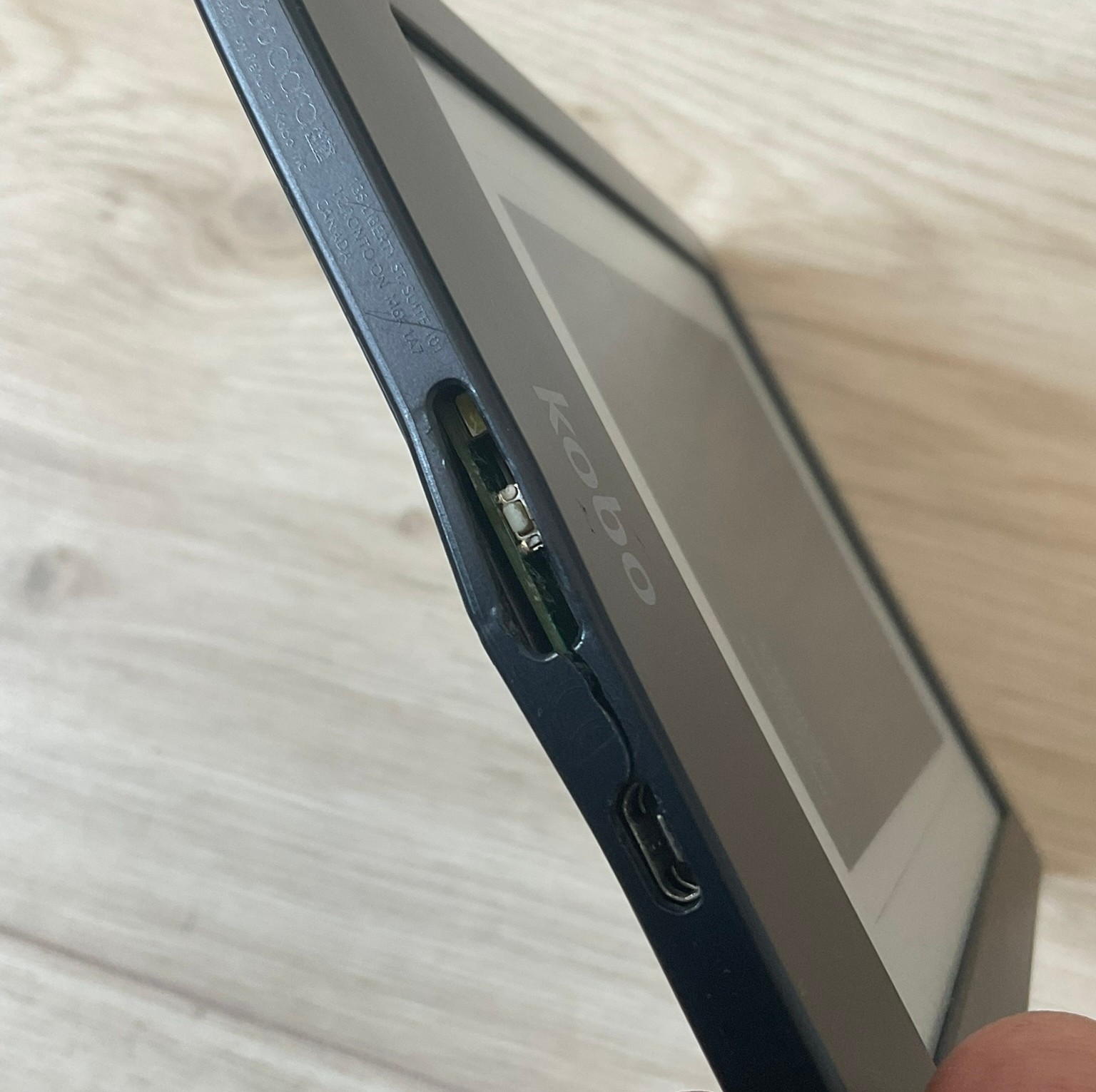
It looks all-right on the outside, except for the missing power button. The microUSB port is not damaged.
Diagnosis
Connecting to a computer yields what we’ve already seen (before)[link]: nothing happens on the computer (dmesg -w) but the device blinks a white LED every second.
Time to open it up and check the SD card.. if there is one inside as well!
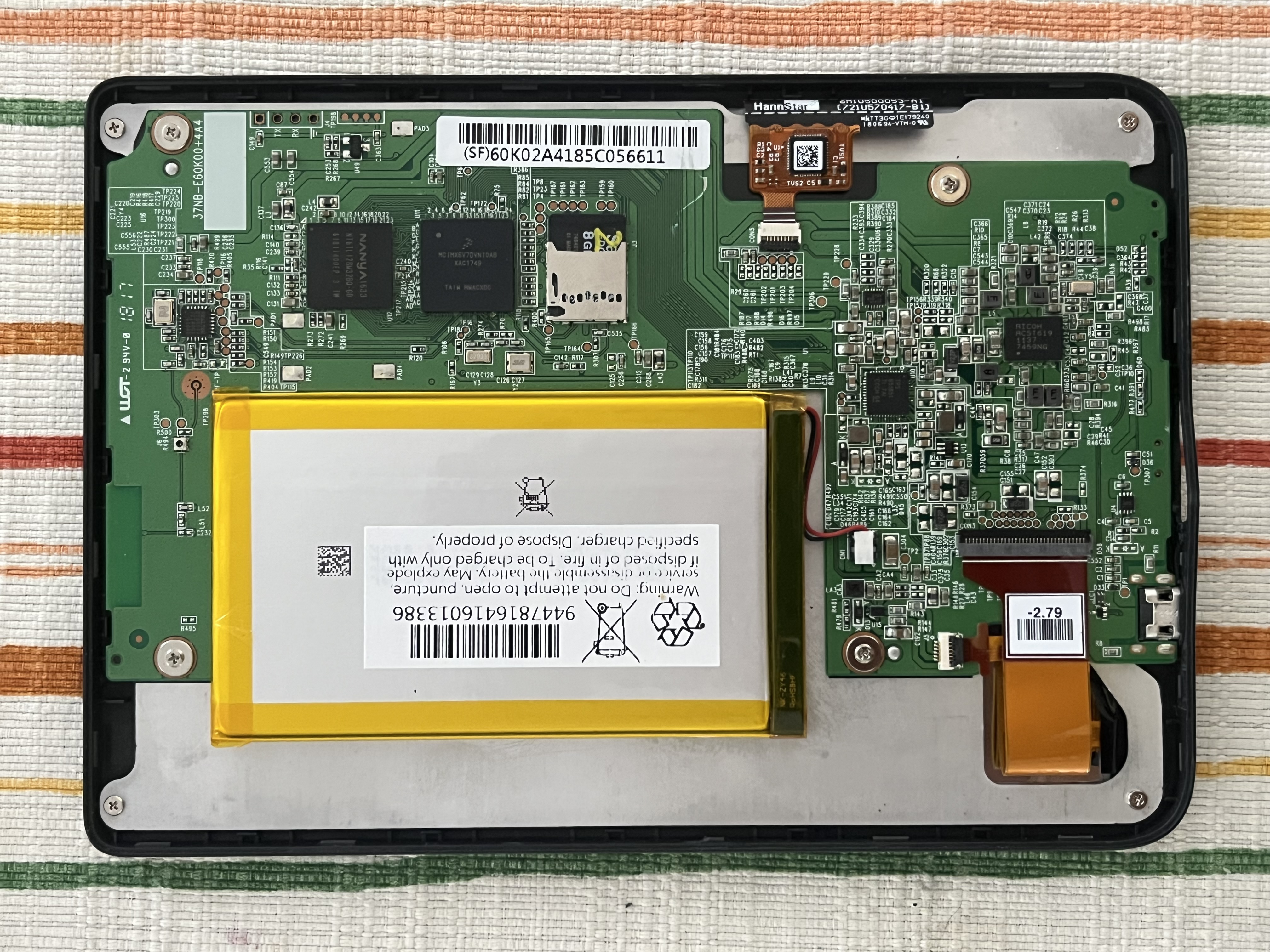
So we have a microSD card again! Trying to answer my own question from the aforementioned post:
Do all Kobo e-book readers have microSD card inside ??
Makes me think that “yes”. :)
internal SD card
This time there is a battery connector, how useful. Remembering from the previous repair, that you need to power-cycle the device to re-read the SD card.
The factory card has this information etched on it:
SanDisk EDGE
8GB class 4
microSD HC I
made in China
and it is properly dead:
dmesg:
243495.094888] mmc0: Skipping voltage switch
[243495.497760] I/O error, dev mmcblk0, sector 0 op 0x0:(READ) flags 0x0 phys_seg 1 prio class 2
[243495.497783] Buffer I/O error on dev mmcblk0, logical block 0, async page read
[243495.497811] ldm_validate_partition_table(): Disk read failed.
[243495.505904] I/O error, dev mmcblk0, sector 0 op 0x0:(READ) flags 0x0 phys_seg 1 prio class 2
[243495.505925] Buffer I/O error on dev mmcblk0, logical block 0, async page read
[243495.505953]  mmcblk0: unable to read partition table
dd:
dd: error reading '/dev/mmcblk0': Input/output error
0+0 records in
0+0 records out
0 bytes copied, 0.0397663 s, 0.0 kB/s
ddrescue:
Trimming failed blocks... (forwards)
     ipos:    1799 MB, non-trimmed:    1800 MB,   current rate:       0 B/s
     opos:    1799 MB, non-scraped:        0 B,   average rate:       0 B/s
non-tried:    6147 MB,  bad-sector:     1024 B,     error rate:  16056 kB/s
  rescued:        0 B,   bad areas:          2,       run time:      2m  3s
pct rescued:    0.00%, read errors:     27_562, remaining time:         n/a
                               time since last successful read:         n/a
Time to find the image of the system.. Or maybe I can try booting this Kobo with the previous Kobo’s OS ??
Restoring an system image
It turns out that there is a whole lively forum active in the field of Kobo e-readers. All my previous effort was just rediscovering a wheel!
Forum post with an Kobo situation overview
This (sources 2.) is the thread, where people seem to get their images. I’m happy to share my downloaded clara Rev A/B image upon request!
Surprisingly, the 2nd message (de facto instruction) does not mention that you need to set the serial number onto the SD card, so I include it in the post later below.
Back to the Clara HD from the street
I grabbed a decent microSD card and restored the image I got from the forums. This is the partition layout now:
Disk /dev/mmcblk0: 29.34 GiB, 31499223040 bytes, 61521920 sectors
Units: sectors of 1 * 512 = 512 bytes
Sector size (logical/physical): 512 bytes / 512 bytes
I/O size (minimum/optimal): 512 bytes / 512 bytes
Disklabel type: dos
Disk identifier: 0x17748450

Device         Boot   Start      End  Sectors  Size Id Type             | Mounts as
/dev/mmcblk0p1        49152   573440   524289  256M 83 Linux            | rootfs
/dev/mmcblk0p2       573441  1097729   524289  256M 83 Linux            | recoveryfs
/dev/mmcblk0p3      1097730 15491070 14393341  6.9G  c W95 FAT32 (LBA)  | nothing, changed to: KOBOeReader
I decided to keep the user storage (books) FAT paritition as is, to make backups easier and have less GiBs to think about >.<
Write your serial number
The serial number is on the enclosure, laser etched in barely visible font.
For Clara HD it starts with N219.
I decided to update the serial number block already on the SD card. This is an interesting quirk of Linux, that means working with a block device and not a file. Some programs rely on stat opcode/command which does not directly apply to block devices.
To read the serial number from the block device:
sudo dd if=/dev/mmcblk0 ibs=1 count=16 skip=512 iflag=count_bytes | hexdump -C
00000000  53 4e 2d 4e 32 34 39 30  31 31 31 31 31 31 31 31  |SN-N249011111111|
To write the serial number from the block device:
echo "SN-N249011111111" | sudo dd of=/dev/mmcblk0 bs=1 count=16 seek=512
I don’t honestly know why is that needed. I assume it’s necessary for a Kobo Account to work. But I didn’t verify that, because I configured my new working Kobo to be account-free, side-loadable device. Btw, you can go a step further and install an alternative reader app or even a different OS .
Verdict
The repair was successful, but this is not a surprise to me anymore. There is documented, lively community hacking/repairing these devices since at least 2018. This was not clear to me when initially Googing! It was the Reddit post (1.) that pointed me in the right direction.
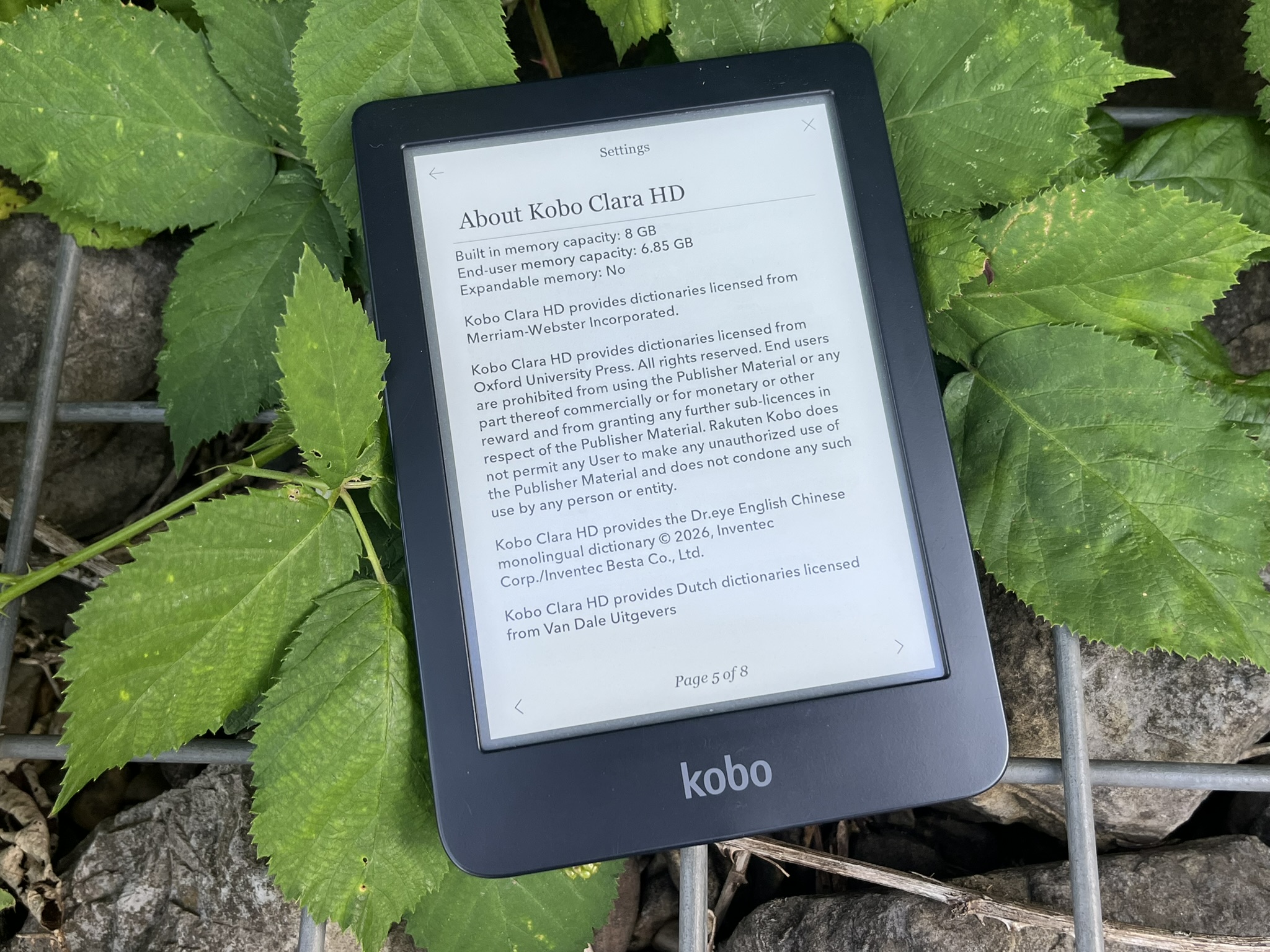 "Expandable memory: No"? I would not agree on this one!
Sources
- https://www.reddit.com/r/kobo/comments/1azgmkh/got_this_kobo_clara_hd_to_work_by_restoring_a/
- https://www.mobileread.com/forums/showthread.php?t=355778
- https://yingtongli.me/blog/2018/07/30/kobo-rego.html
- https://blog.the-ebook-reader.com/2022/01/21/kobo-software-update-4-31-released-adds-sideloaded-mode/